

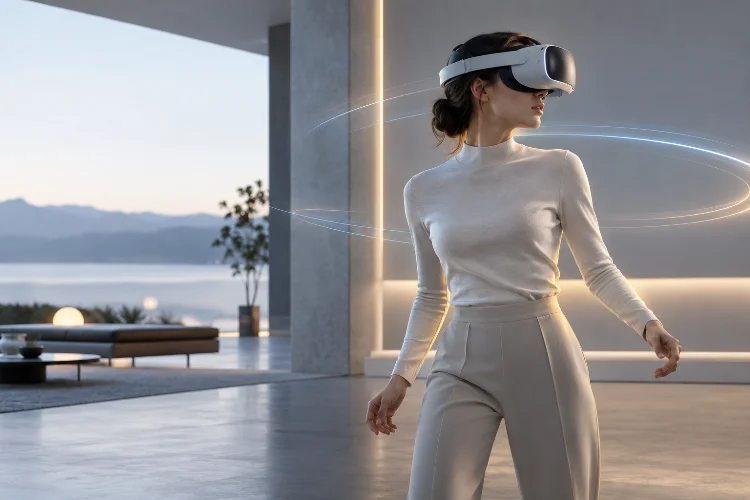
Virtual reality can look visually impressive and still feel strangely wrong.
A headset might display detailed environments, realistic lighting, and convincing character models, yet a tiny delay between moving your head and seeing the world respond can instantly weaken the illusion.
In VR, responsiveness is not simply a performance metric. It is part of the experience itself. That is why low-latency virtual reality has become one of the most important challenges in immersive system design.
Every movement has to travel through a complicated pipeline: sensors detect motion, software estimates the user’s pose, the CPU updates the scene, the GPU renders new images, and the display finally presents them.
The entire process needs to happen incredibly quickly.
When tracking, rendering, and display timing work together, users stop noticing the technology and begin feeling present inside the digital space. But when delays become perceptable, the environment can feel unstable, disconnected, or uncomfortable.
Designing convincing VR therefore starts with understanding where latency comes from – and how to reduce it.
Why Latency Has Such a Powerful Effect on VR Presence
Latency exists in almost every digital system, but VR makes it unusually noticeable because the display reacts directly to physical body movement.
Turn your head in the real world and your visual environment changes immediately. Users subconsciously expect virtual environments to behave the same way.
In VR, the total delay between physical movement and the updated image reaching the eyes is commonly discussed as motion-to-photon latency. It includes sensor sampling, tracking calculations, application processing, rendering, frame scheduling, and display response.
A delay at any stage affects the complete pipeline.
Frame rate is closely connected to this problem. At 90 Hz, for example, a new display interval arrives roughly every 11.1 milliseconds. Missing that timing window can force the system to wait for another display cycle, increasing perceived delay.
Epic Games emphasizes that maintaining target frame rates is especially important in VR because inconsistent performance can reduce comfort and introduce visible frame problems.
Low latency is therefore not about making one subsystem extremely fast. It requires the entire VR pipeline to remain synchronized.
Tracking Must Capture Movement Quickly and Accurately
Everything begins with tracking.
Modern VR headsets typically combine cameras, inertial measurement units, and other sensors to estimate the position and orientation of the headset. Controllers and hand-tracking systems add even more movement data.
The challenge is that simply knowing where the user’s head was when a sensor measurement occurred is not enough.
By the time a frame has been rendered and displayed, the head may already have moved again. A system that renders using old tracking data can make the virtual world appear to lag behind physical motion.
That is why modern XR runtimes use pose prediction.
OpenXR provides applications with a predictedDisplayTime, representing when an upcoming frame is expected to appear.
Applications can use predicted poses corresponding to that future moment rather than relying only on the most recently measured headset position.
The prediction window is usually small, but even a few milliseconds matter.
Good tracking therefore needs three qualities: accuracy, speed, and reliable prediction. Weakness in any of them can reduce user presence.
Stable Frame Timing Matters More Than Maximum Visual Quality
VR developers naturally want beautiful graphics, but pushing visual quality too far can actually make the experience less immersive.
Suppose an application targets 90 frames per second. The game logic, rendering preparation, GPU workload, and runtime overhead must fit within a very narrow frame budget.
If one complicated scene suddenly takes much longer to render, the headset may miss its intended frame.
Epic’s VR performance guidance notes that consistent frame rates are particularly important because dropped frames can make VR experiences uncomfortable. It also explains that the game thread, render thread, and GPU workload all need to remain within the available frame budget.
This changes how developers think about graphics optimization.
Instead of asking, “How detailed can this scene become?” the better question is often, “How detailed can this scene remain while maintaining consistant frame timing?”
A slightly simpler environment running smoothly can produce stronger immersion than photorealistic graphics that repeatedly stutter.
Rendering Optimization Reduces the GPU Bottleneck
The GPU performs a huge amount of work in virtual reality.
Unlike a conventional monitor, a headset effectively needs to generate views for both eyes while also maintaining high refresh rates and low delay. Lighting, shadows, transparent materials, post-processing effects, particles, and complex shaders can quickly increase GPU workload.
Developers therefore need to spend their rendering budget carefully.
Techniques such as instanced stereo rendering, multiview rendering, simplified shaders, level-of-detail systems, occlusion culling, baked lighting, and reduced transparency can help.
Epic recommends techniques such as forward rendering, instanced stereo, and mobile multiview for appropriate VR projects. Its documentation also warns that expensive effects such as transparency and dynamic lighting can become significant performance costs.
Standalone VR headsets create an even stricter challenge.
Meta notes that mobile VR chipsets often require fewer draw calls, simpler shaders, and carefully formatted art assets to maintain stable frame rates. Its developer tools are designed to help identify GPU stages that are consuming too much frame time.
Optimization should therefore be treated as part of VR design, not something added at the end.
Prediction and Reprojection Hide Small Timing Errors
Even highly optimized VR applications cannot guarantee that every rendered frame will arrive perfectly on time.
This is where runtime-level techniques become important.
Pose prediction estimates where the headset will be when an image is displayed. Reprojection techniques can then adjust an already rendered image using newer tracking information shortly before presentation.
The goal is to reduce the apparent difference between the position used during rendering and the user’s latest physical head position.
Microsoft’s mixed-reality documentation describes similar image-adjustment techniques that compensate for differences between predicted and actual head poses, helping displayed content remain visually stable.
These systems are extremely valuable, but they are not substitutes for strong performance.
Reprojection can correct relatively small pose differences, but it cannot magically reconstruct every missing detail when an application repeatedly fails to render frames.
Developers should see these technologies as a safety layer rather than permission to overload the GPU.
High Refresh Rates Improve Responsiveness – But Raise the Cost
Refresh rate strongly affects the character of a VR experience.
At 72 Hz, each refresh interval lasts about 13.9 milliseconds. At 90 Hz, it falls to approximately 11.1 milliseconds. At 120 Hz, it drops again to roughly 8.3 milliseconds.
Higher refresh rates can make motion look smoother while reducing the time between display updates.
However, there is an obvious trade-off: the application must render frames more frequently.
Meta’s current Quest documentation notes that stable frame rate remains a central optimization challenge on standalone hardware, with supported refresh rates extending up to 120 Hz on several Quest models.
Developers therefore cannot automatically choose the highest available refresh setting.
A visually complex application might produce a better overall experience at a stable lower target than at a higher refresh rate it cannot reliably maintain.
Consistency remains the priority.
CPU and GPU Bottlenecks Need Different Solutions
Not every latency problem comes from rendering.
The CPU also performs simulation, physics, animation, artificial intelligence, tracking integration, networking, and the preparation of commands that eventually reach the GPU.
If CPU processing takes too long, optimizing textures will accomplish very little.
Likewise, rewriting gameplay logic will not solve a scene that is overwhelmingly GPU-bound.
Meta’s optimization guidance separates performance problems into CPU- and GPU-related categories and recommends identifying the true bottleneck before attempting optimization.
Profiling tools are therefore essential.
Developers should examine frame timing across the application instead of relying on average FPS numbers. A game averaging 90 FPS may still produce occasional long frames capable of disturbing the user experience.
The real target is smooth, predictable performance.
Reducing unnecessary physics calculations, limiting expensive AI updates, batching work appropriately, controlling draw calls, and simplifying shaders all contribute to a faster overall responce.
Interaction Latency Matters Beyond Head Movement
Head tracking receives most of the attention, but hands matter too.
If a user reaches toward a virtual button and their digital hand noticeably follows behind, presence immediately suffers. The same problem occurs when grabbing tools, swinging objects, pointing at interfaces, or interacting with virtual characters.
The virtual body should feel attached to the physical body.
Controller inputs therefore need fast sampling and quick integration into the rendering process. Hand tracking creates additional challenges because computer-vision algorithms may need to interpret multiple camera images before producing a usable pose estimate.
Haptics also need proper synchronization.
Imagine hitting a virtual object and feeling controller vibration noticeably later. The interaction still works mechanically, but the sensory signals no longer describe one unified event.
For seamless presence, visual motion, sound, physics, and haptic feedback should occur within a tightly coordinated timeframe.
Comfort Should Guide Every Latency Decision
Performance optimization is ultimately about more than benchmark numbers.
It affects people.
Microsoft describes frame rate as a major factor in hologram stability and user comfort, while Unreal’s VR guidance recommends maintaining platform-specific target rates and avoiding camera movements that users do not control.
Poor frame timing can create judder, unstable imagery, or visual motion that conflicts with physical sensation.
Developers should therefore test an enviroment under realistic worst-case conditions – not only while standing in an empty development room.
Crowded scenes, particle effects, complex AI, rapid head movement, and large interactive spaces may expose performance spikes that average testing misses.
Testing should also involve multiple users because sensitivity to VR discomfort varies considerably.
Low latency should be treated as a user-experience requirement from the first prototype rather than a technical problem reserved for final optimization.
Designing low-latency virtual reality is about making technology disappear from the user’s awareness.
Fast tracking, pose prediction, efficient rendering, stable frame timing, reprojection, responsive interaction, and careful CPU/GPU optimization all contribute to the sense that the virtual world reacts naturally.
The key principle is consistency. A spectacular scene loses its impact when movement feels delayed, while a simpler environment can feel remarkably convincing when every response happens smoothly and predictably.
Developers should profile performance early, design within realistic hardware budgets, and prioritize stable responsiveness over unnecessary visual complexity.
If you are building a VR application, start measuring latency and frame timing from the first prototype. Presence is much easier to preserve when performance is part of the design rather than a problem saved for the end.
