

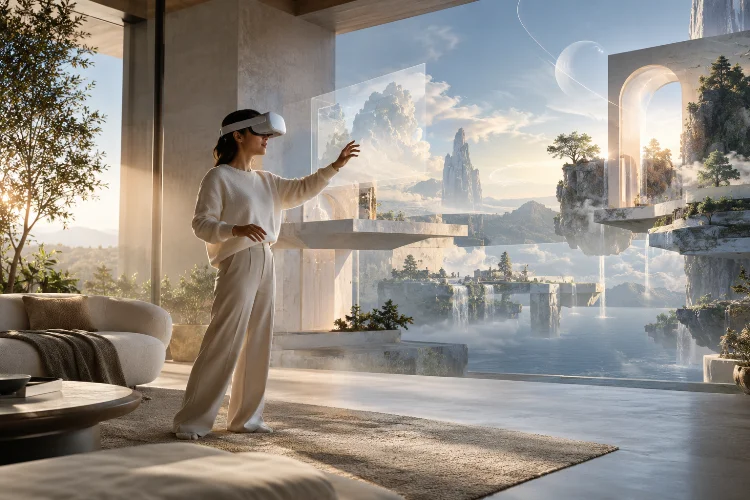
Putting on a VR headset can create a strange moment. You know you are standing in a living room, office, or gaming space, yet your brain may quickly begin responding as if the digital world in front of you is physically real.
That illusion does not come from graphics alone. A beautifully rendered virtual city can still feel artificial when head movement is delayed, objects behave unpredictably, or footsteps sound like they are coming from the wrong direction.
Convincing virtual reality depends on many technical systems working together with almost invisible precision.
Modern immersive VR systems combine stereoscopic rendering, head and hand tracking, low-latency processing, spatial audio, environmental physics, interaction design, and carefully managed movement. Each layer reinforces the others.
The result is something developers often describe as presence: the sensation of being located inside a digital environment rather than simply watching it through a display.
Understanding how these systems create that feeling reveals why successful VR experiences require far more than impressive 3D models.
Accurate Tracking Creates the Foundation of Presence
The first requirement for convincing virtual reality is accurate tracking.
A VR headset continuously measures the position and orientation of the user’s head. Modern systems can also track controllers, hands, and sometimes additional parts of the body. When the user turns their head left, the virtual camera must respond almost immediately.
OpenXR, for example, provides standardized interfaces through which XR applications can access tracking information, controller states, predicted poses, and rendered frame submission across compatible runtime systems.
Prediction is especially important because rendering a frame takes time. Instead of simply drawing the scene according to where the headset was a few milliseconds earlier, VR runtimes can estimate where the user’s head is likely to be when the frame actually appears.
Even tiny errors can become noticable. If the physical head moves while the virtual world appears slightly delayed, the connection between visual perception and physical motion begins to weaken.
For convincing presence, virtual movement needs to feel like a direct extension of real movement.
Stereoscopic Rendering Gives Digital Worlds Physical Depth
Traditional screens display one flat image. VR systems create separate images for the left and right eyes, with each image representing the scene from a slightly different viewpoint.
The brain combines these images and interprets the difference between them as depth.
This stereoscopic rendering helps users judge whether an object is close enough to touch, how far away a doorway is, or whether another character is standing two meters or twenty meters away.
Correct scale matters just as much.
A virtual table that is technically rendered with beautiful textures can still feel wrong if its dimensions do not match familiar human proportions. Doors, furniture, hand models, ceilings, and environmental objects provide subconscious scale references.
Epic Games even notes that working directly in VR can help developers understand the proper sense of scale when constructing believable virtual worlds.
Lighting, shadows, reflections, material response, and atmospheric depth strengthen the illusion further. However, these visual features must be balanced against performance because VR usually needs consistently high frame rates.
Low Latency Keeps the Virtual World Stable
One of the less glamorous technologies behind immersive VR is also one of the most important: latency management.
Motion-to-photon latency describes the delay between physical movement and the corresponding visual change appearing on the headset display.
When this delay becomes too large, the virtual enviroment can appear to move slightly after the user’s head does. Besides damaging immersion, inconsistent performance may contribute to discomfort for some users.
That is why VR developers often prioritize stable performance over maximum visual complexity.
Epic’s XR development recommendations emphasize content optimization, platform limitations, performance, and user comfort when building VR applications.
Developers may use techniques such as dynamic resolution, optimized shaders, level-of-detail systems, efficient geometry, occlusion methods, and selective visual effects to keep rendering workloads manageable.
A slightly less detailed world running smoothly can often feel more convincing than a photorealistic one that constantly stutters.
Spatial Audio Makes the Environment Exist Beyond Your Eyes
Visuals dominate discussions about VR, but sound plays an enormous role in creating believable space.
Spatial audio allows sounds to appear as though they originate from specific locations around the user. A machine operating behind you should sound different from one directly in front of you.
The audio should also change naturally when you rotate your head.
Microsoft’s spatial sound guidance recommends connecting auditory information with visual events because this relationship can reinforce a user’s mental model of a mixed-reality environment and make interactions more intuitive.
Distance matters too. Nearby sounds usually become louder and clearer, while distant sounds may lose energy or become affected by the acoustic properties of the surrounding environment.
More advanced VR applications can simulate reverberation, obstruction, and room acoustics. A voice inside a stone hall should not behave exactly like the same voice in an open field.
These details may operate subconsciously, but together they make digital spaces feel considerably more physical.
Natural Interaction Makes Virtual Objects Feel Real
Seeing a believable object is one thing. Being able to use it naturally is another.
Modern VR interaction systems allow users to point, grab, throw, press, pull, climb, and manipulate digital objects using tracked controllers or hand tracking.
Unity’s XR Interaction Toolkit, for example, provides components for object selection, grabbing, UI interaction, locomotion, and other XR behaviours.
The strongest VR interactions usually produce several types of feedback at once.
Imagine picking up a virtual cup. Your hand reaches toward it, the cup visually follows your grip, the controller may produce subtle haptic feedback, and the object responds to gravity when released.
Each signal confirms the same event.
Problems appear when signals disagree. If a user grabs an object but receives no visual or tactile responce, the action can feel disconnected. If an object passes through a solid table without explanation, the world’s rules become less believable.
Consistency therefore matters more than complexity.
Physics and Environmental Behavior Build Credibility
A convincing VR world needs rules.
Objects should fall, collide, move, and respond in ways users can understand. These rules do not always need to reproduce real-world physics perfectly, especially in fantasy or science-fiction experiences, but they should remain consistant within the environment.
Consider a VR workshop simulation.
A metal tool might have noticeable weight, collide with a workbench, produce an appropriate sound when dropped, and require a plausible hand motion to use. None of these effects alone creates realism. Their combination does.
Physics also influences environmental storytelling.
Loose objects that react when touched, vegetation that moves, doors that respond to force, particles affected by movement, and interactive machinery can make the world appear active rather than decorative.
The important principle is responsiveness. When users act, the environment should acknowledge their actions in predictable ways.
Locomotion Must Balance Freedom and Comfort
Creating a large digital world raises another challenge: how does the user move through it?
Real walking provides an intuitive solution when physical space is available, but most VR experiences need additional locomotion systems.
Unity’s XR tools support techniques including continuous movement, teleportation, snap turning, continuous turning, climbing, and grab-based movement.
Different approaches create different trade-offs.
Continuous movement can provide greater freedom, but visual motion without corresponding physical movement can feel uncomfortable for some users. Teleportation reduces that conflict but may feel less natural in experiences designed around realistic exploration.
Developers often provide several options instead of assuming one movement method works for everyone.
Comfort settings, adjustable turning, movement speed, seated modes, and teleportation can make an immersive experience accessible to a wider range of users without fundamentally changing the virtual environment.
Multiple Systems Must Work Together
The most convincing VR environments rarely rely on one revolutionary technology.
Instead, immersion comes from synchronization.
Head tracking tells the system where the user is looking. Stereoscopic rendering creates depth. Spatial audio establishes direction.
Physics gives objects predictable behavior. Haptic feedback confirms interaction. Locomotion expands movement, while performance optimization keeps everything responsive.
Meta’s VR development documentation similarly treats orientation tracking, positional tracking, stereoscopic rendering, cameras, and engine integration as interconnected parts of building a functional VR experience.
This explains why presence can suddenly collapse when one component fails.
The user may ignore slightly simplified graphics, but a controller floating several centimeters away from the physical hand can immediately remind them that the world is artificial.
Successful immersive design therefore depends less on maximizing every individual feature and more on ensuring that all sensory and interaction systems tell the same story.
Immersive VR systems create convincing digital environments by coordinating perception, movement, sound, interaction, and performance in real time. Accurate tracking keeps the digital world aligned with the user’s body, while stereoscopic rendering establishes depth and scale.
Spatial audio, physics, haptics, and responsive interactions make that world behave like a place rather than a collection of graphics.
The biggest lesson is that immersion depends on consistency. Every movement and interaction should reinforce what the user’s senses expect to happen.
As VR hardware and software continue evolving, developers who understand these foundations will be better positioned to create experiences that feel natural, comfortable, and genuinely present.
If you are developing a VR project, start by perfecting responsiveness and interaction before chasing visual complexity.
